Shabbify
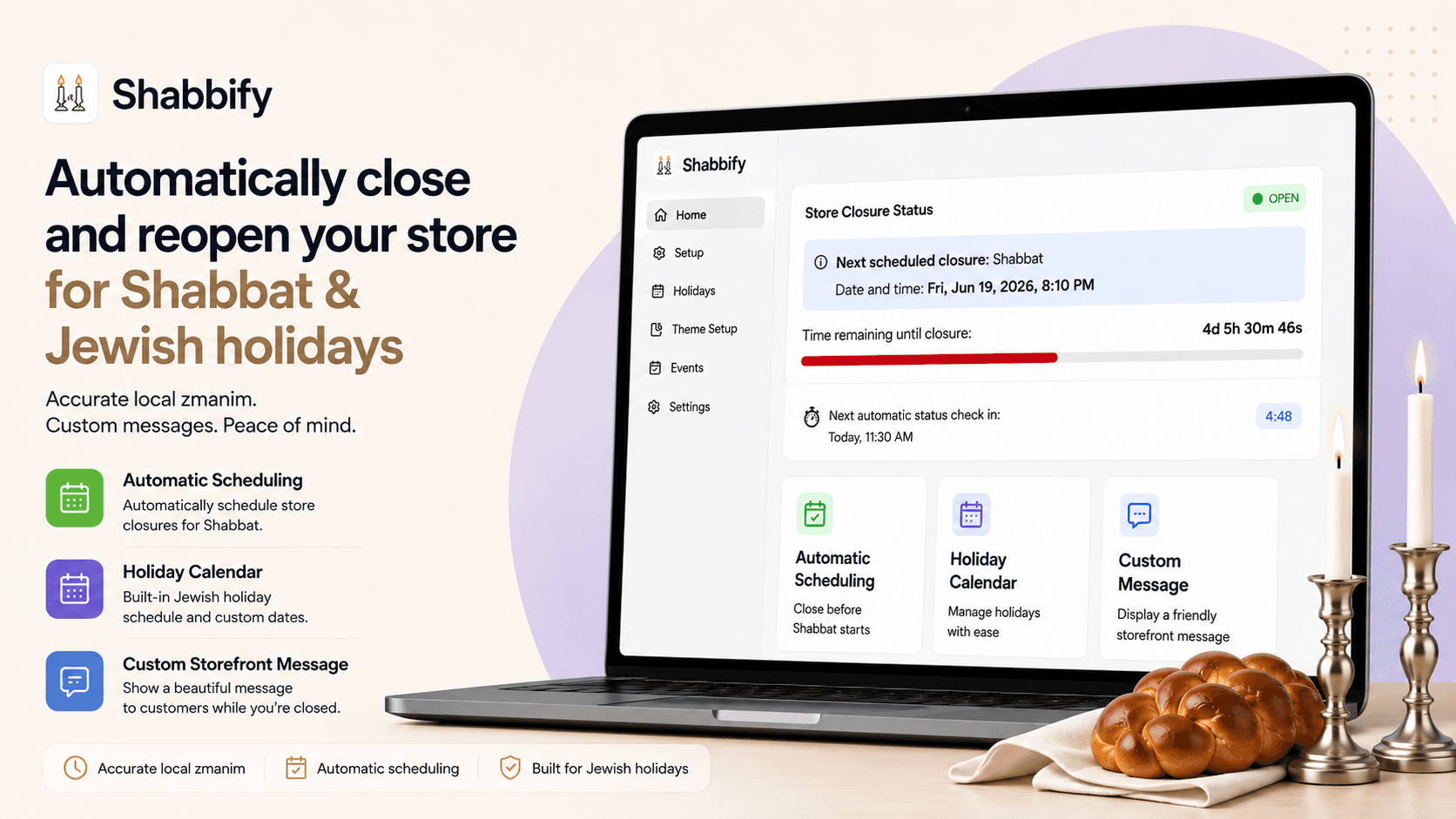
Free Shopify app that closes your store for Shabbat and Yom Tov at sunset-based times you control, blocks checkout while you're closed, and reopens automatically.
Install Shabbify free on the Shopify App Store →
Problem It Solves
Shopify stores that close for Shabbat and Yom Tov need to stop selling at those times, but Shopify has no built-in way to do it. Store owners were left with bad options:
- Turning the store off and on by hand every week. It's easy to forget, and sunset moves with the seasons.
- Tracking the Hebrew calendar themselves. Yom Tov dates change every year, and each holiday has its own start and end.
- Generic maintenance-mode apps that know nothing about Shabbat, Yom Tov or sunset times.
- Staying open because there was nothing reliable to automate it.
Shabbify takes that job off your list.
Who It's For
Shopify stores that close for Shabbat and Yom Tov, whatever they sell. Shabbify closes the store at the times you set and reopens it afterward, every week and every holiday.
Key Features
Sunset-based closing times you control
Shabbify works out sunset for your store's location every week. You choose:
- How many minutes before sunset on Friday to close (18 by default)
- How many minutes after sunset on Saturday night to reopen (60 by default)
- Or to close at midday (chatzot) instead
It uses your Shopify store address by default. You can set a custom location if you follow another community's times.
Yom Tov, added automatically
Rosh Hashanah, Yom Kippur, Sukkot, Pesach, Shavuot and more come from the Hebrew calendar each year. Stores in Israel get one-day Yom Tov and stores elsewhere get two, based on the store's time zone.
You can switch any holiday off, change its times, or add your own closures.
Block what you need to
Choose one or combine them:
- Block checkout. Shoppers can browse, but checkout is stopped by a Shopify checkout rule. Shabbify adds and turns on that rule for you in one click, and shows whether it's on.
- Block add to cart and the cart's checkout button.
- Block the entire site. A full-page closed screen replaces the store.
A clear message for shoppers
While you're closed, show a banner or the full-page screen with your message and a live countdown to reopening. Shoppers who reach checkout see a closed message there too.
Your message can include when you reopen. If you leave it blank, shoppers see a default message in their own language.
Close by hand any time
Manual close shuts the store immediately until you reopen it. Use it for an early close, a fast day or an emergency. You can also set exact closing and reopening times for a single window.
Seven languages
The Shabbify admin, storefront messages, checkout message and emails are available in:
- English
- Hebrew (right to left)
- Spanish
- French
- Russian
- Portuguese
- German
Also included
- Email notices. You get an email when the store closes and when it reopens.
- Activity log. Closures, reopenings, notification signups and errors are recorded in the app.
- Shopify Sidekick. Ask Sidekick "Is my store closed?" or "Why can customers still check out?" Shabbify answers with your status, upcoming closures, a checkout-blocking check and your setup progress. Sidekick can read Shabbify but can't change your settings.
- Klaviyo reopening alerts (optional). Shoppers who visit while you're closed can leave their phone number. When you reopen, Shabbify triggers your Klaviyo flow to text them.
How It Works
- Install Shabbify free from the Shopify App Store. The year's holidays are set up on install.
- Add it to your theme. Turn on the Shabbify app embed and add a closed banner. The in-app setup guide links you straight there.
- Turn on checkout blocking with one click, so Shopify stops checkout while you're closed.
- Check your times. Confirm your location and your minutes before and after sunset, and choose what to block.
- That's it. Shabbify closes before each Shabbat and Yom Tov and reopens afterward, every week, and emails you each time.
Shabbify follows the times you set. Please check that they match your community's practice.
Shabbify was first built for Modular Closets and is now available to every Shopify merchant on the App Store. Step-by-step instructions are in the Shabbify help center. For questions, email shabbify@strongerecommerce.com.
Get Shabbify
Install Shabbify free on the Shopify App Store →
Sponsor the Awareness Campaign
Help more Shabbat-observant businesses find Shabbify. Sponsor our awareness campaign to spread the word to Shopify stores that close for Shabbat and Yom Tov.
In the press
Coverage from industry publications and local news.

UPDATE: Over 20 Shopify Stores Now Using Shabbify — The Free App That Closes Your Store For Shabbos
Weeks after launch, Shabbify is now used by 20+ Shopify stores — with new features like full store blocking, custom zmanim locations, and chatzos closure options.
The Lakewood Scoop
FIRST REPORT: Lakewood Developer Launches Free Shopify App for Shabbos-Observant Store Owners
Stronger eCommerce launched Shabbify, a free Shopify app that automatically closes stores before Shabbos and Yom Tov using location-based candle lighting times.
The Lakewood Scoop
What clients say about our work
5 out of 5 (3 client reviews)
“Jay is extremely honest, straightforward, and gets the job done quickly and efficiently. His deep level of experience and knowledge in software truly sets him apart from others in the industry. Working with Jay and his team was amazing. It was a smooth process with clear communication and excellent execution from start to finish.”
— Moshe, IBIS Outwear
“We needed an expert hand to facilitate a smooth migration from Big Commerce to Shopify. We specifically chose Stronger eCommerce because they stood out as a top Shopify developer with a deep, comprehensive understanding of the platform—something we desperately needed. Working with their team was excellent. They were extremely responsive and completely aligned with our specific needs. We especially appreciated how patient they were in walking us through and explaining all the different development options.”
— Malky Chase, Woodpecker Crafts
“We needed a custom system to bring all of our revenue channels together, and Stronger eCommerce did an excellent job delivering it. Jay is extremely knowledgeable, patient, and skilled. Even on a complex project, he was easy to work with, handled challenges calmly, and consistently found practical solutions. Jay is one of the strongest vendors I've worked with, and I would confidently recommend him.”
— Malka Perl, COO, Domani Home